GBase 8s
安装配置
文章
构建最优数据平台:定制安装GBase 8s(图形界面方式)
发表于2025-09-15 09:35:4789次浏览1个评论
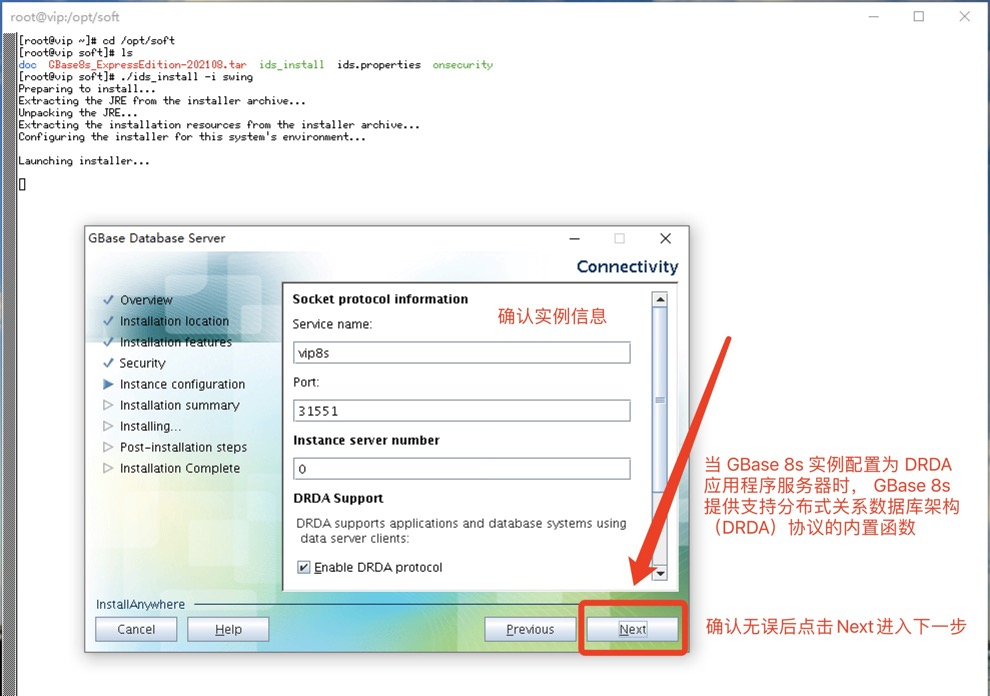
完成之前安装环境准备后,开始进行图形化界面安装,采用xstart工具进行图形化界面安装。具体说明见安装截图。
--进入到存放软件包目录,执行./ids_install -i swing启动图形化界面安装方式[root@vip ~]# cd /opt/soft
[root@vip soft]# ls
doc GBase8s_ExpressEdition-202108.tar ids_install ids.properties onsecurity
[root@vip soft]# ./ids_install -i swing
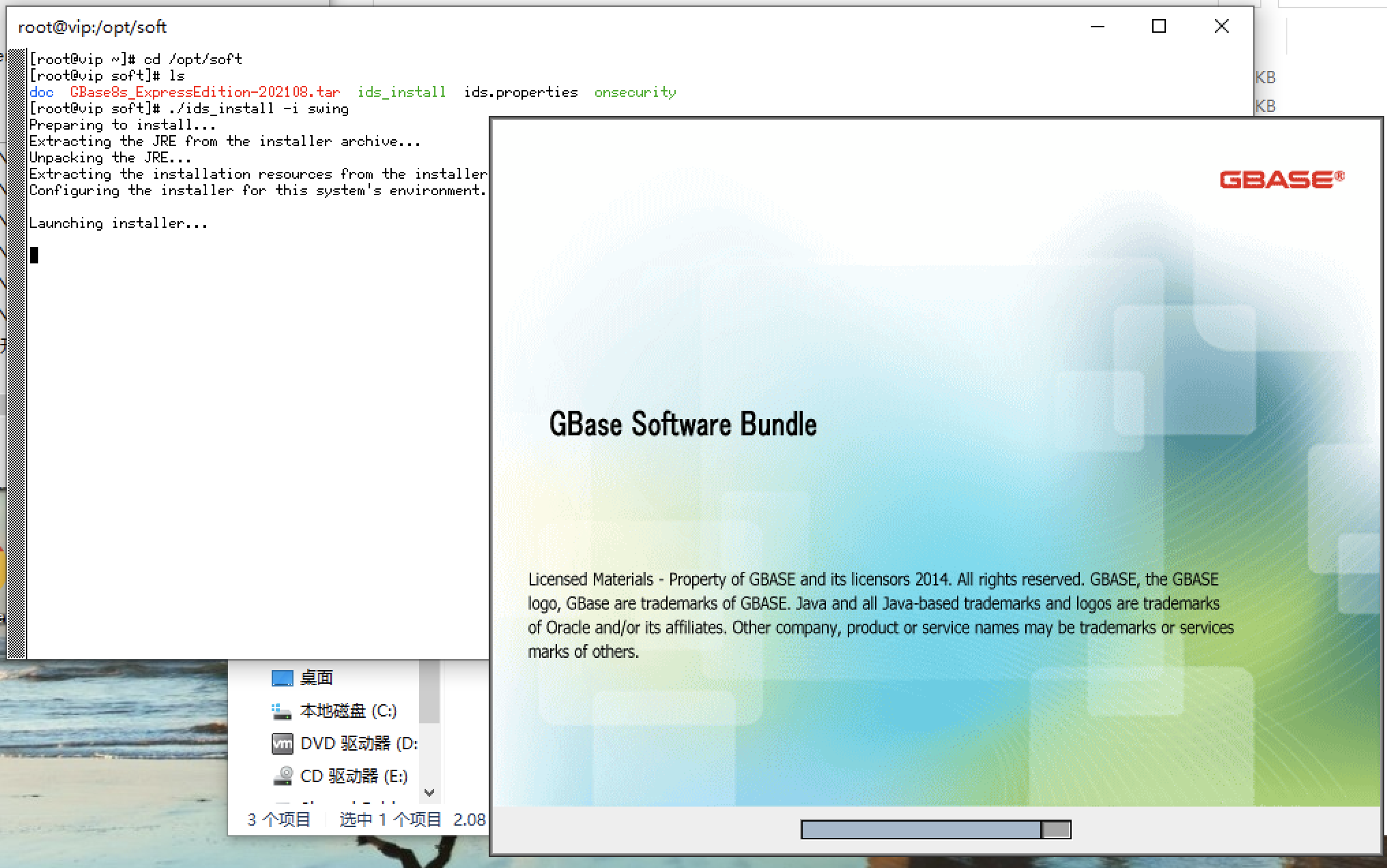
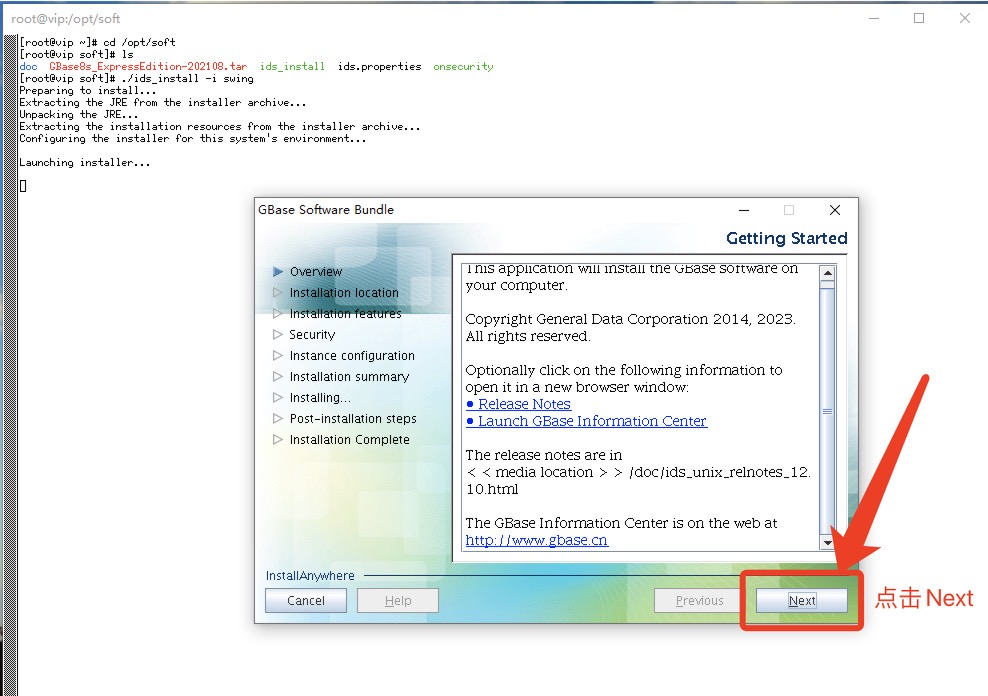
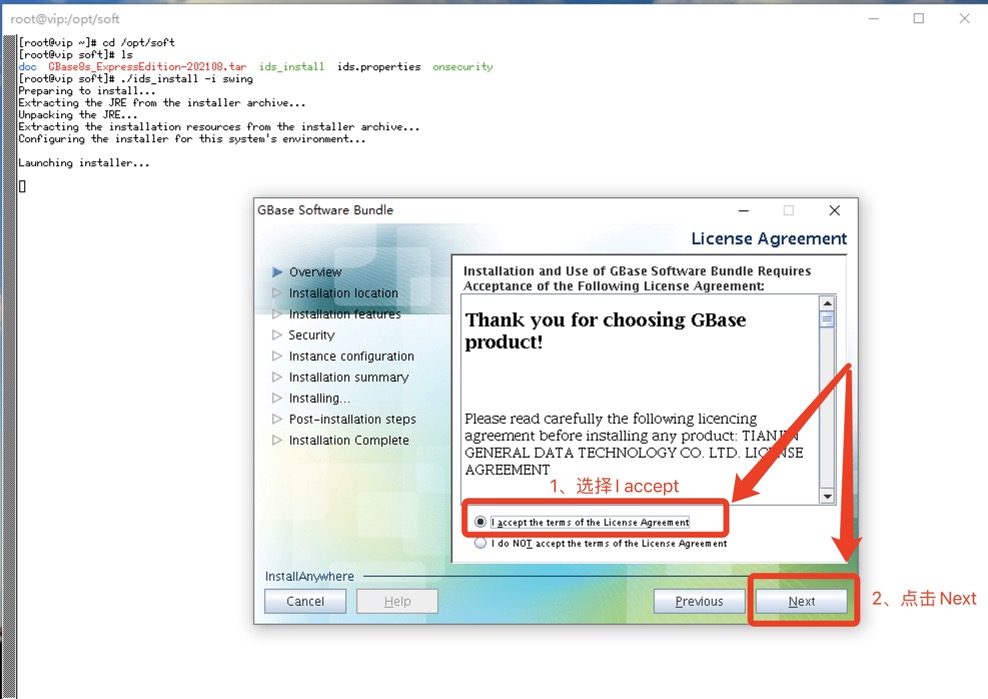
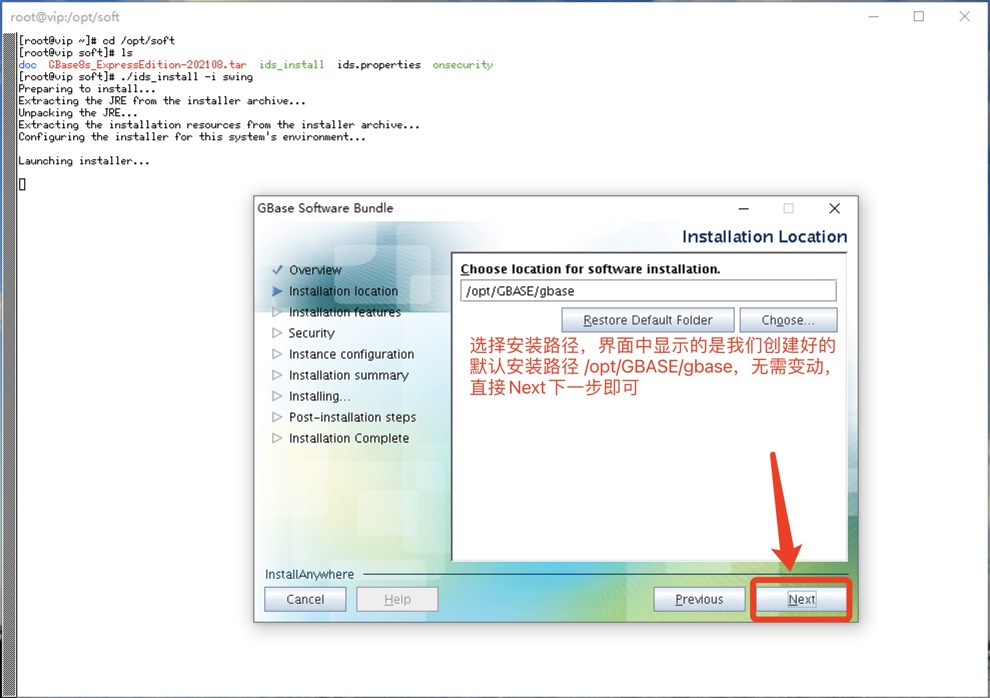
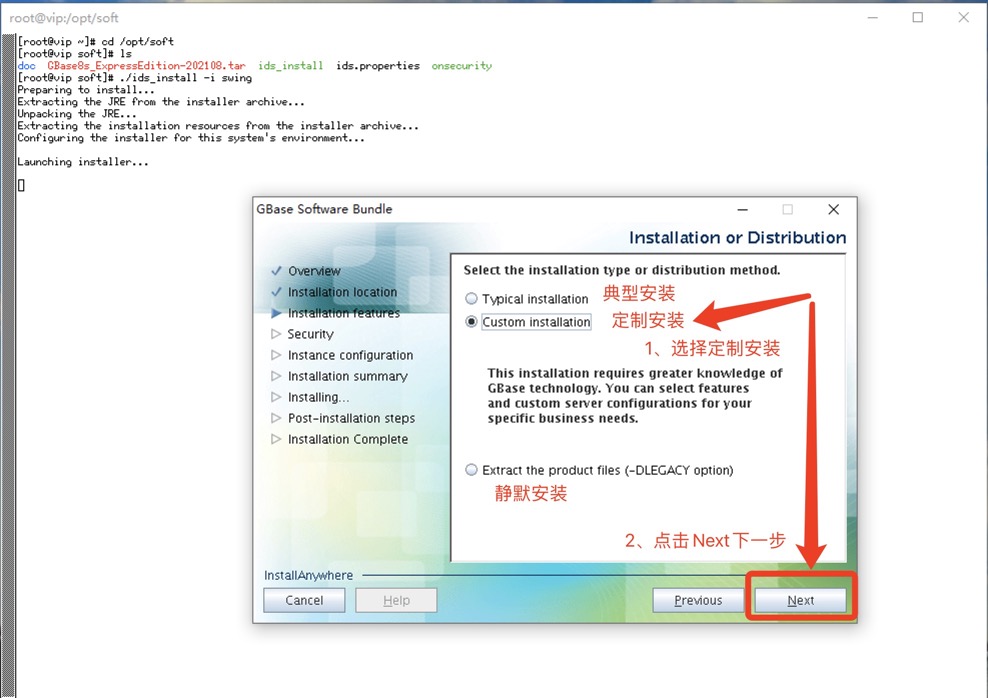
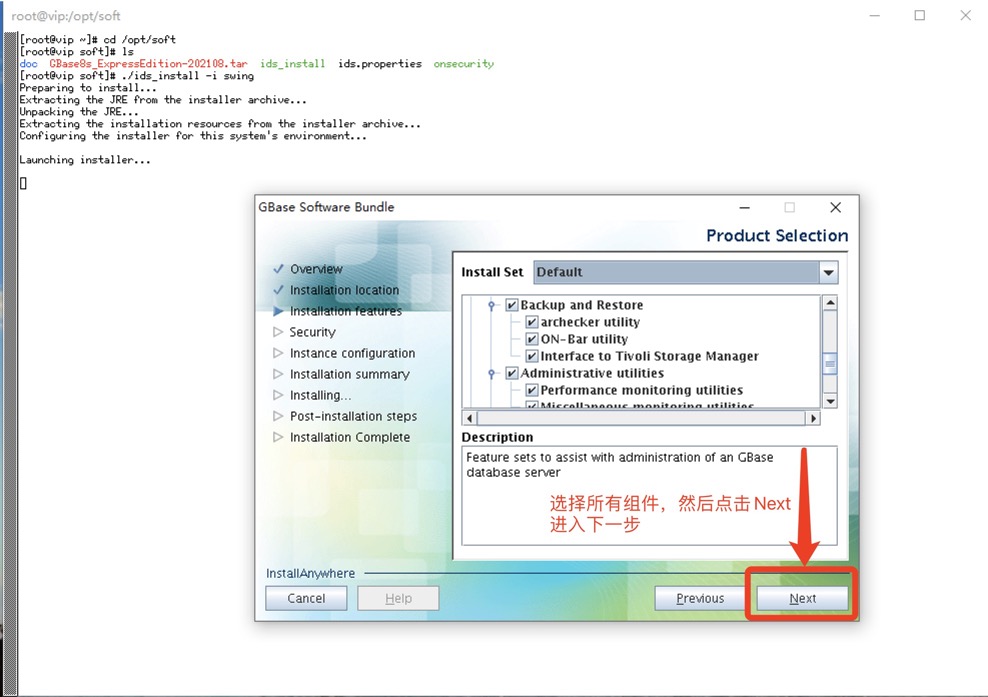
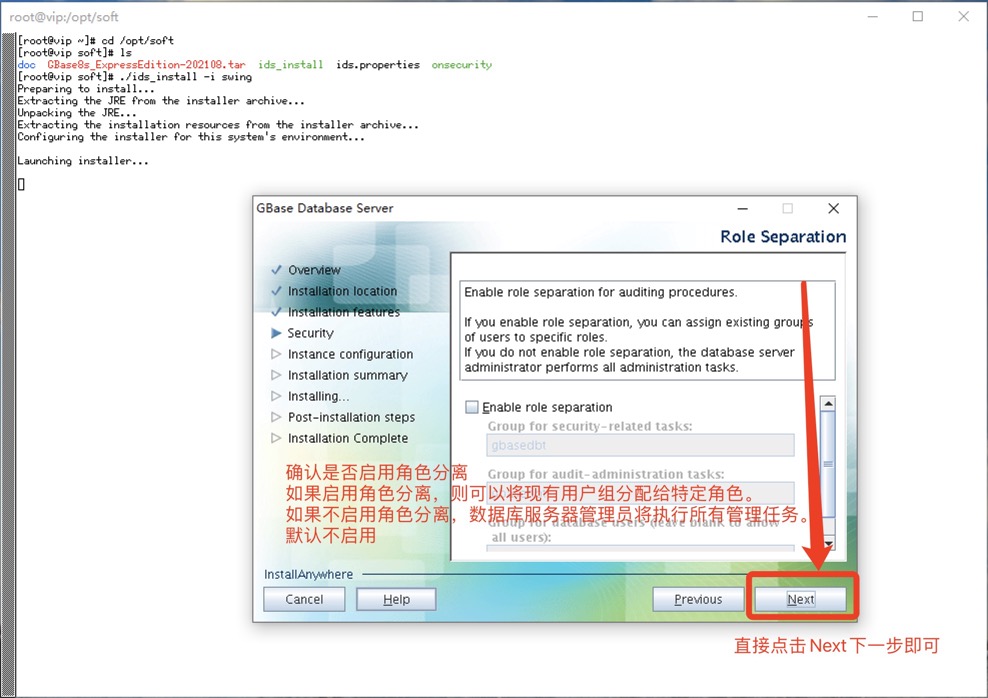
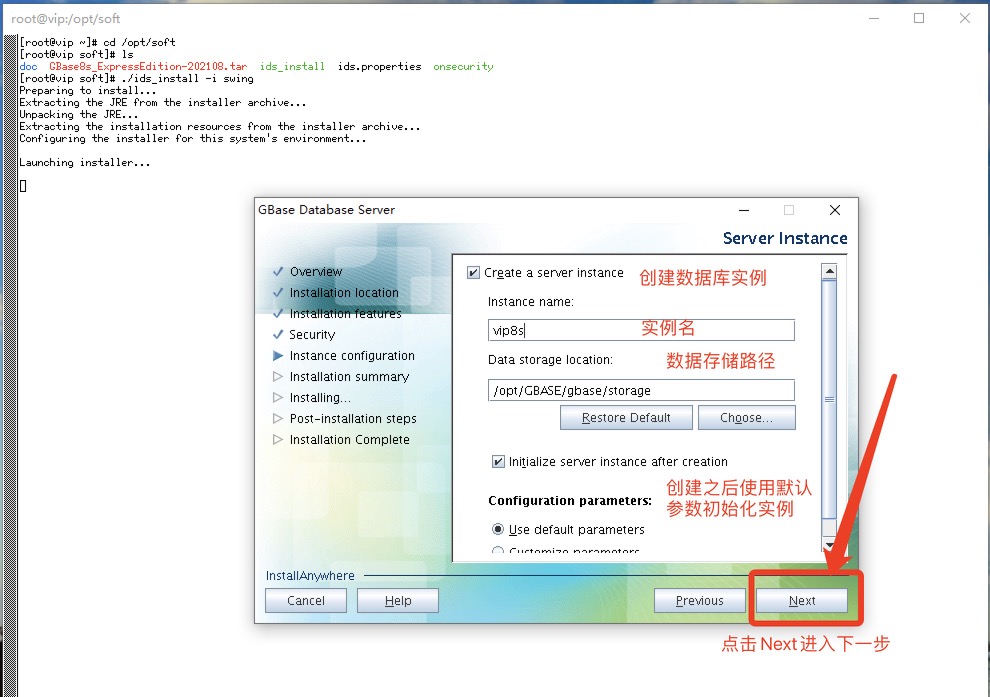
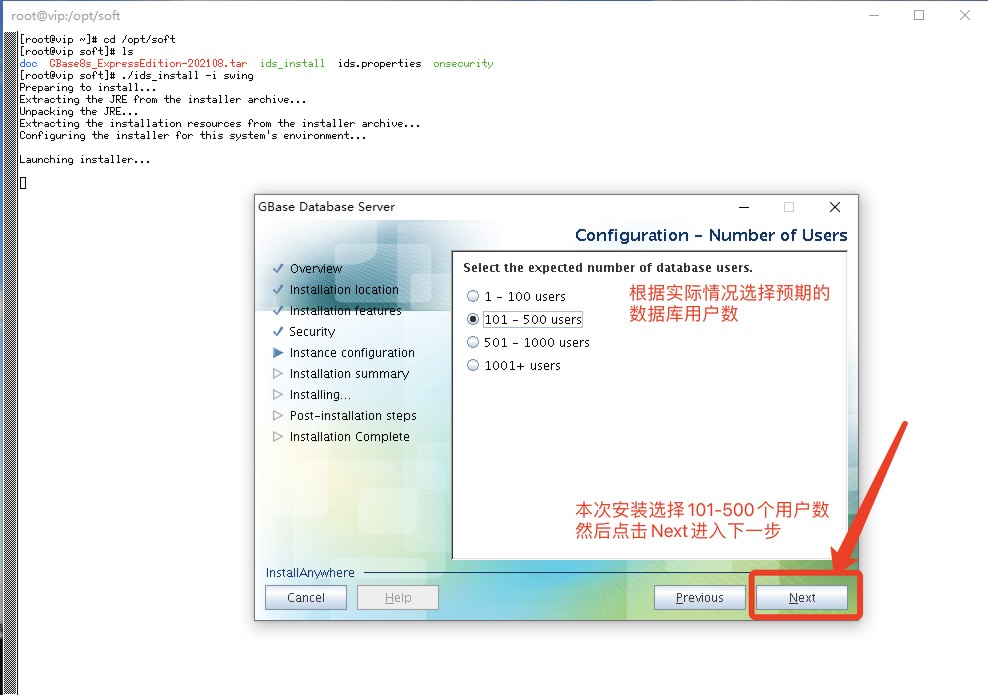
如果数据库服务器配置为支持 DRDA 协议,则会自动创建 Metadata 和 sqlcaMessage 例程。SYSDbOpen 和 SYSDbClose 例程可以在任一 GBase 8s 数据库中定义。
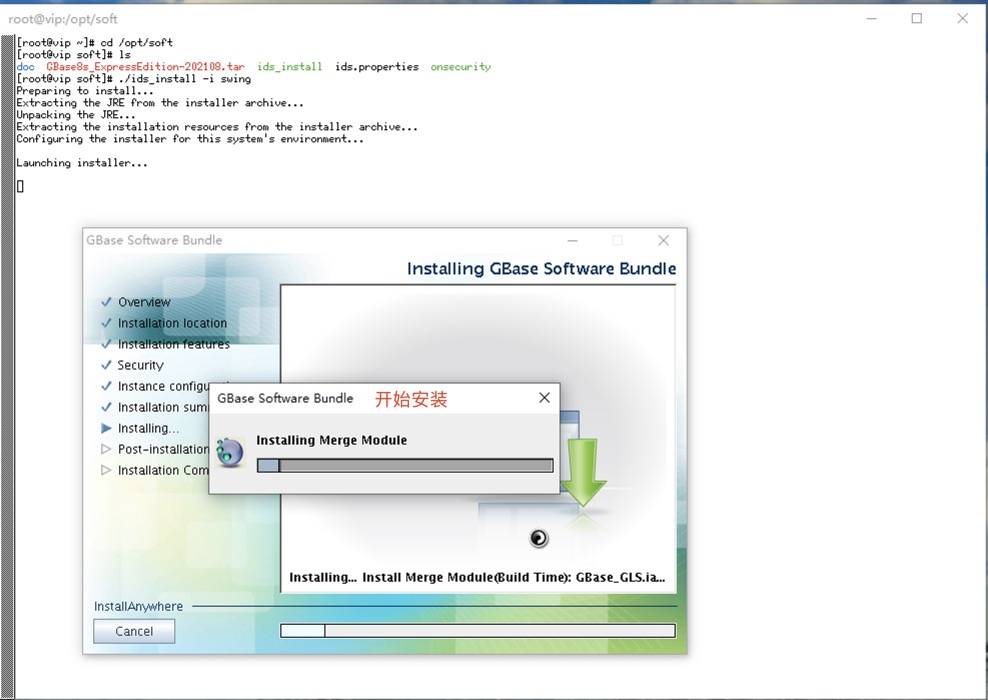
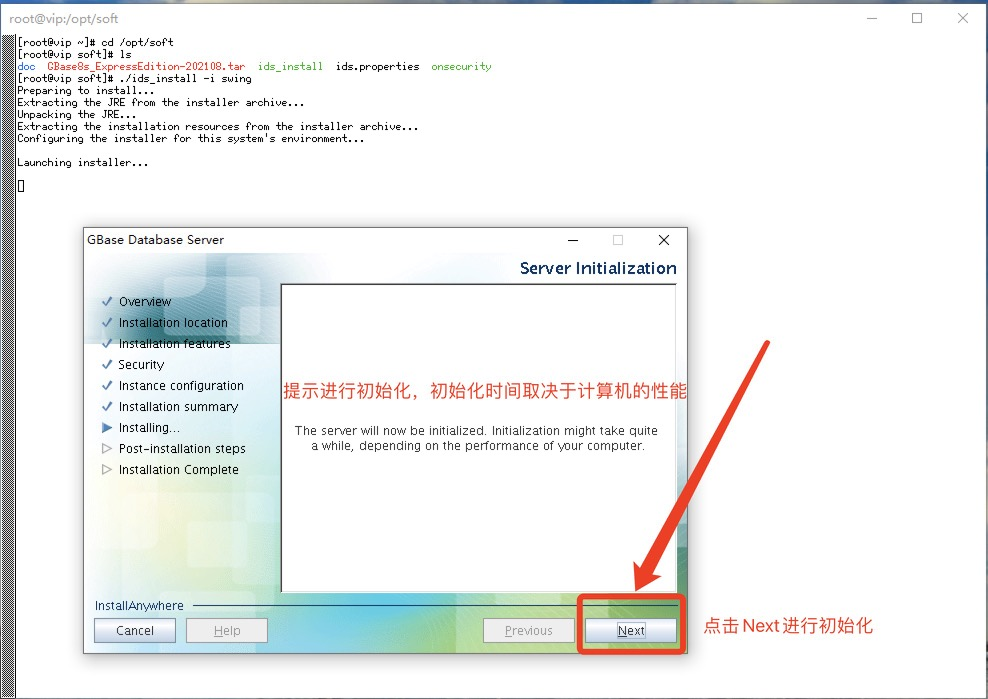
服务器现在将被初始化。 初始化可能需要一段时间,具体取决于计算机的性能。
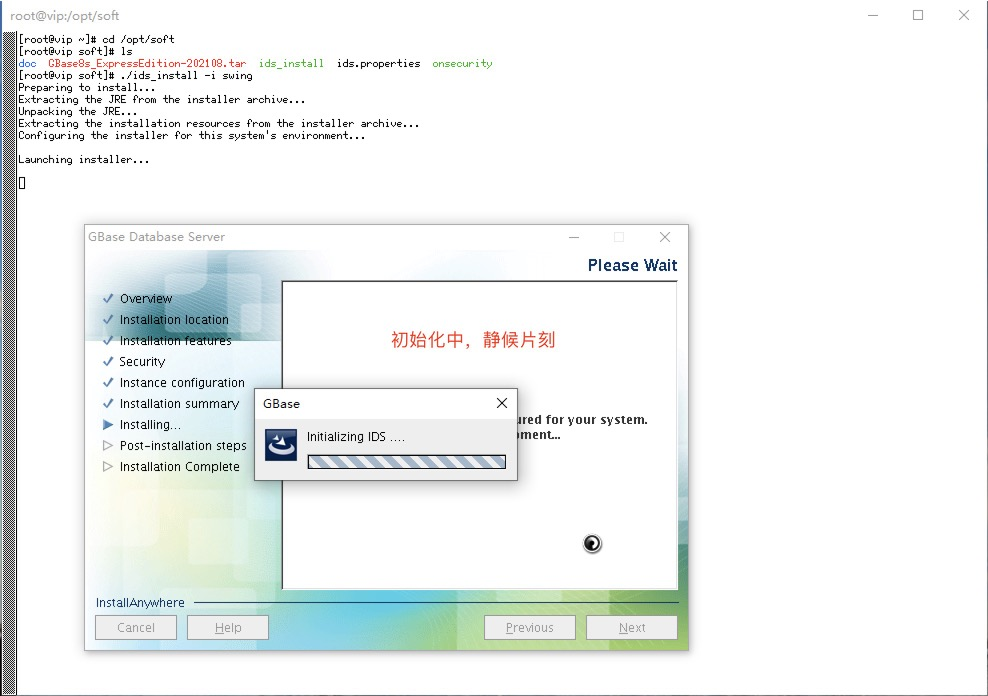
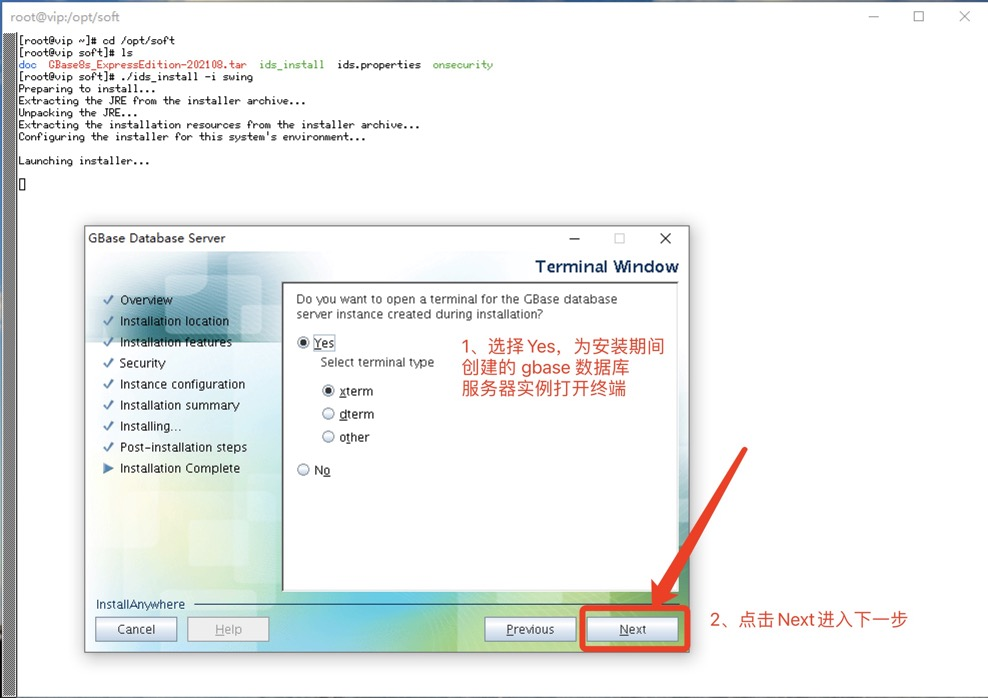
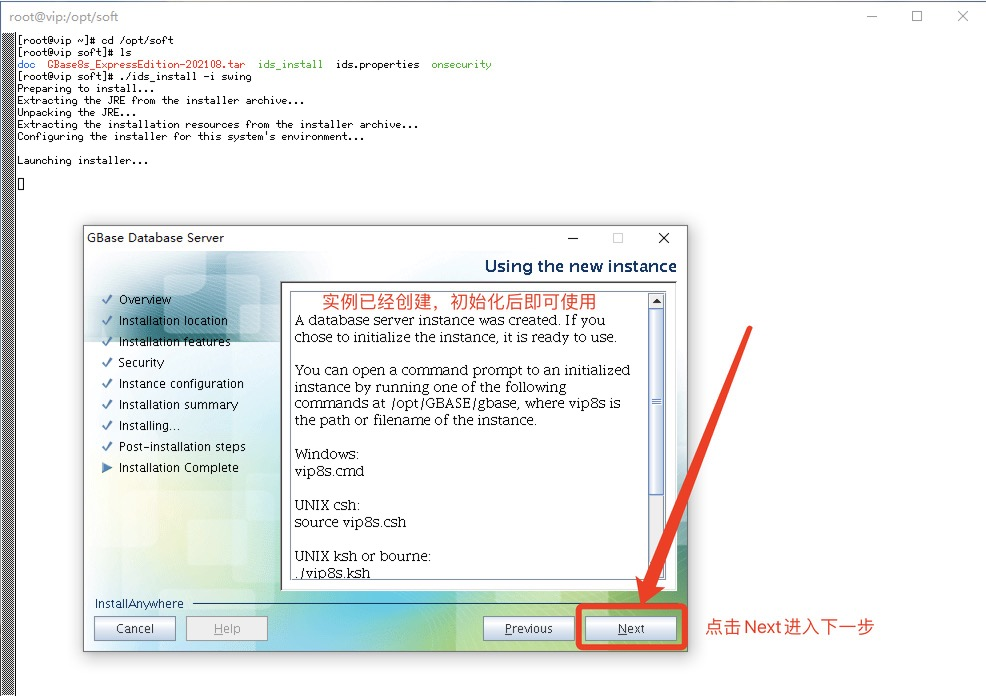
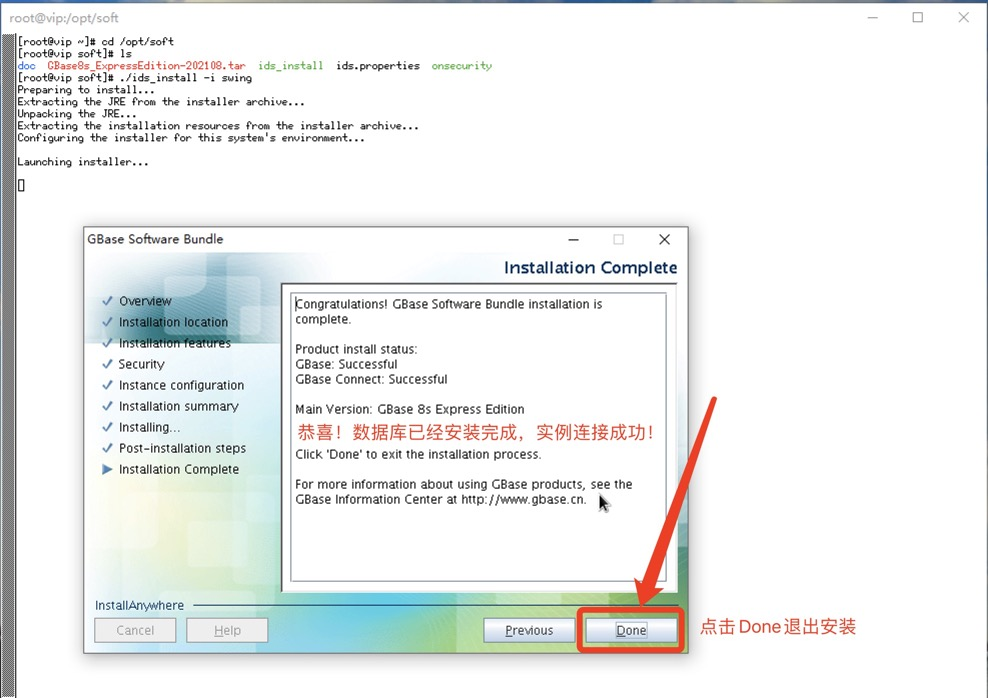
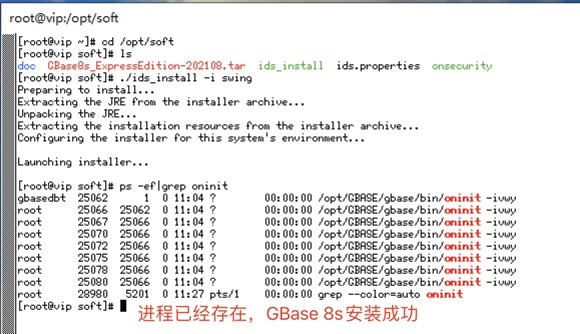
安装完成后,重复之前文章配置环境变量操作,如此才能正常使用数据库服务器。
[root@vip ~]# cd /opt/GBASE/gbase/
[root@vip gbase]# ls
aaodir    etc                                                    incl                     SDK        vip8s.ksh
backups   extend                                                 isa                      ssl        vip8s.log
bin       GBase_GLS_Install_04_25_2023_11_00_54.log              lib                      storage
dbssodir  GBase_Install_04_25_2023_11_01_02.log                  msg                      tmp
demo      GBase_Software_Bundle_Install_04_25_2023_11_00_45.log  release                  uninstall
doc       gls                                                    RUNasroot.installserver  vip8s.csh
[root@vip gbase]# cat vip8s.ksh
 GBASEDBTDIR=/opt/GBASE/gbase
 GBASEDBTSERVER=vip8s
 ONCONFIG=onconfig.vip8s
 GBASEDBTSQLHOSTS=/opt/GBASE/gbase/etc/sqlhosts.vip8s
 GL_USEGLU=1
 PATH=${GBASEDBTDIR}/bin:${GBASEDBTDIR}/extend/krakatoa/jre/bin:${PATH}
export GBASEDBTDIR GBASEDBTSERVER ONCONFIG GBASEDBTSQLHOSTS GL_USEGLU PATH
[root@vip gbase]# cat vip8s.ksh >> /home/gbasedbt/.bash_profile
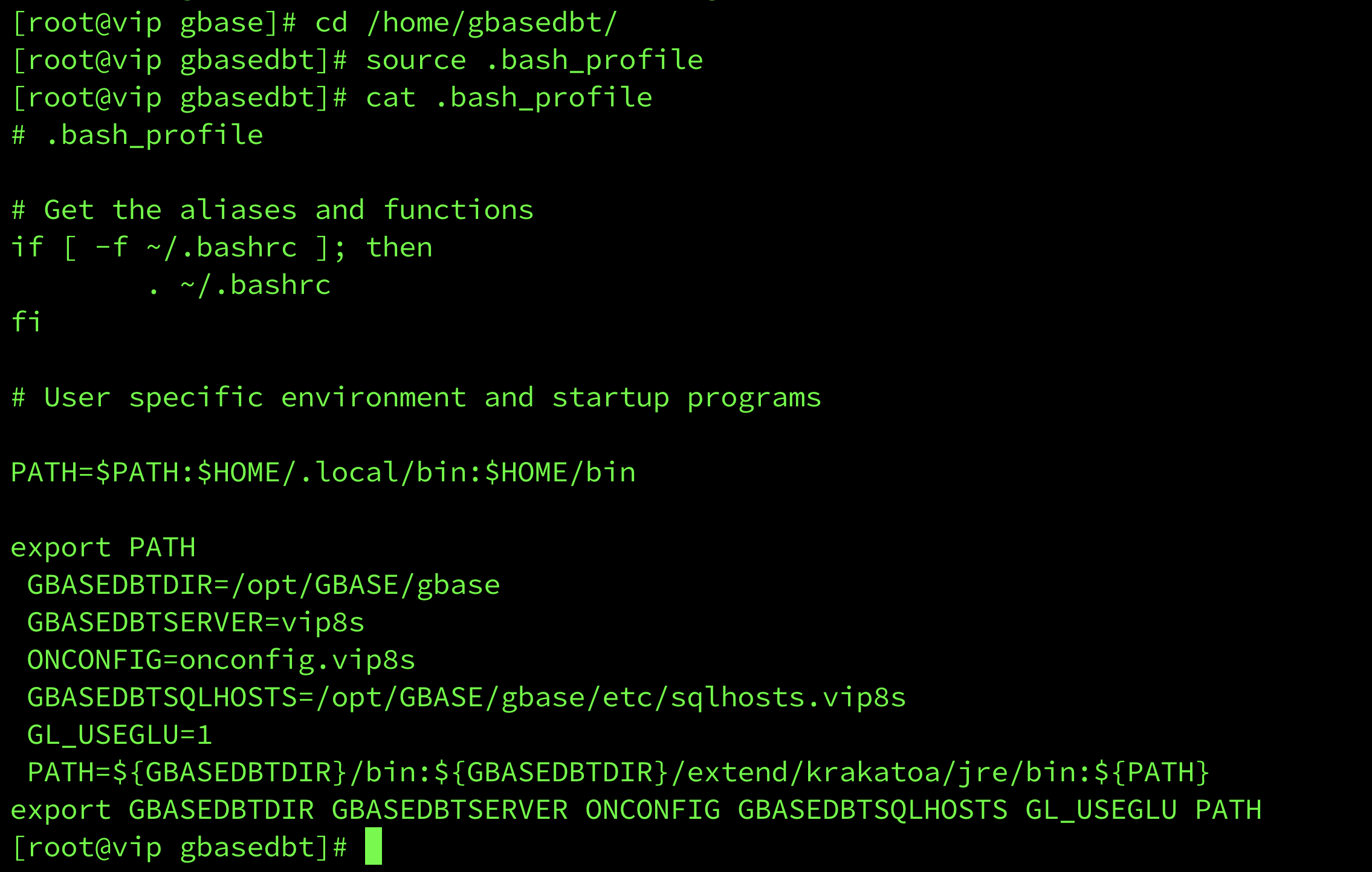
[root@vip gbase]# cd /home/gbasedbt/
[root@vip gbasedbt]# source .bash_profile
[root@vip gbasedbt]# cat .bash_profile
# .bash_profile

# Get the aliases and functions
if [ -f ~/.bashrc ]; then
        . ~/.bashrc
fi

# User specific environment and startup programs

PATH=$PATH:$HOME/.local/bin:$HOME/bin

export PATH
 GBASEDBTDIR=/opt/GBASE/gbase
 GBASEDBTSERVER=vip8s
 ONCONFIG=onconfig.vip8s
 GBASEDBTSQLHOSTS=/opt/GBASE/gbase/etc/sqlhosts.vip8s
 GL_USEGLU=1
 PATH=${GBASEDBTDIR}/bin:${GBASEDBTDIR}/extend/krakatoa/jre/bin:${PATH}
export GBASEDBTDIR GBASEDBTSERVER ONCONFIG GBASEDBTSQLHOSTS GL_USEGLU PATH
[root@vip gbasedbt]# 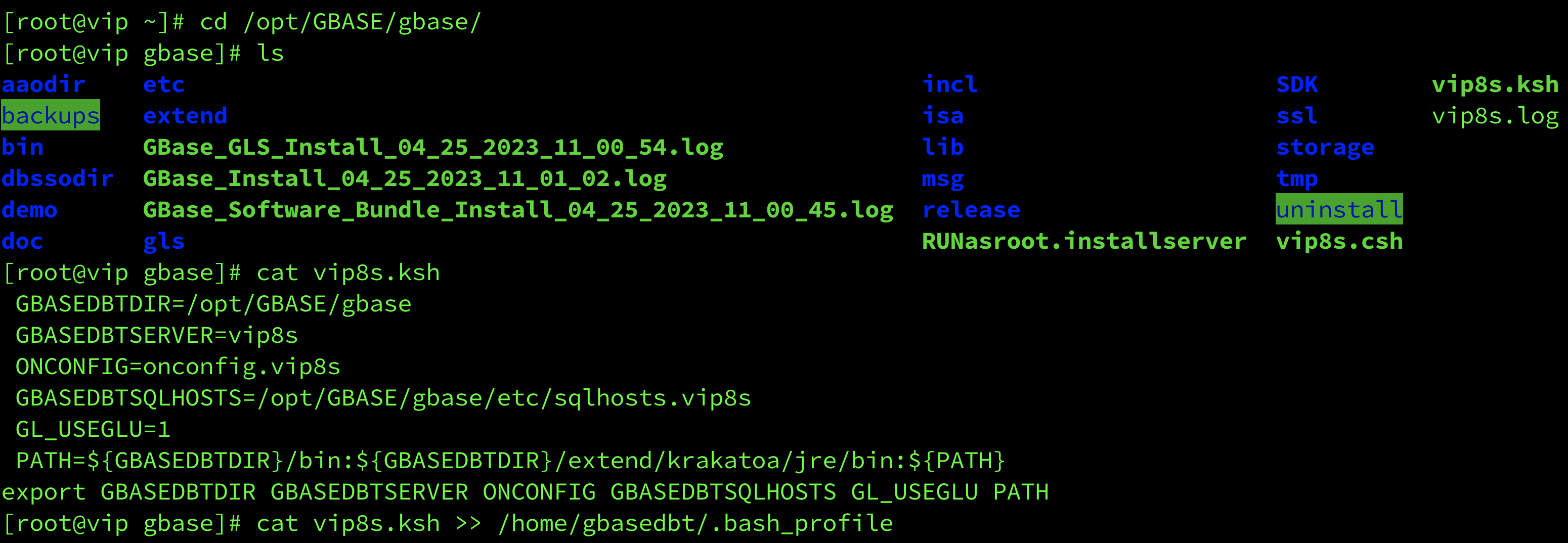
配置环境变量后,执行onstat -和ps -ef|grep oninit检查数据库状态及运行情况。
[root@vip ~]# su - gbasedbt
Last login: Tue Apr 25 13:47:11 CST 2023 on pts/3
[gbasedbt@vip ~]$ onstat -
Your evaluation license will expire on 2024-04-24 00:00:00
On-Line -- Up 02:42:53 -- 175748 Kbytes

[gbasedbt@vip ~]$ ps -ef|grep oninit
gbasedbt  25062      1  0 11:04 ?        00:00:01 /opt/GBASE/gbase/bin/oninit -ivwy
root      25066  25062  0 11:04 ?        00:00:00 /opt/GBASE/gbase/bin/oninit -ivwy
root      25067  25066  0 11:04 ?        00:00:00 /opt/GBASE/gbase/bin/oninit -ivwy
root      25070  25066  0 11:04 ?        00:00:00 /opt/GBASE/gbase/bin/oninit -ivwy
root      25072  25066  0 11:04 ?        00:00:00 /opt/GBASE/gbase/bin/oninit -ivwy
root      25075  25066  0 11:04 ?        00:00:00 /opt/GBASE/gbase/bin/oninit -ivwy
root      25078  25066  0 11:04 ?        00:00:00 /opt/GBASE/gbase/bin/oninit -ivwy
root      25080  25066  0 11:04 ?        00:00:02 /opt/GBASE/gbase/bin/oninit -ivwy
gbasedbt  44782  44694  0 13:47 pts/3    00:00:00 grep --color=auto oninit
[gbasedbt@vip ~]$ 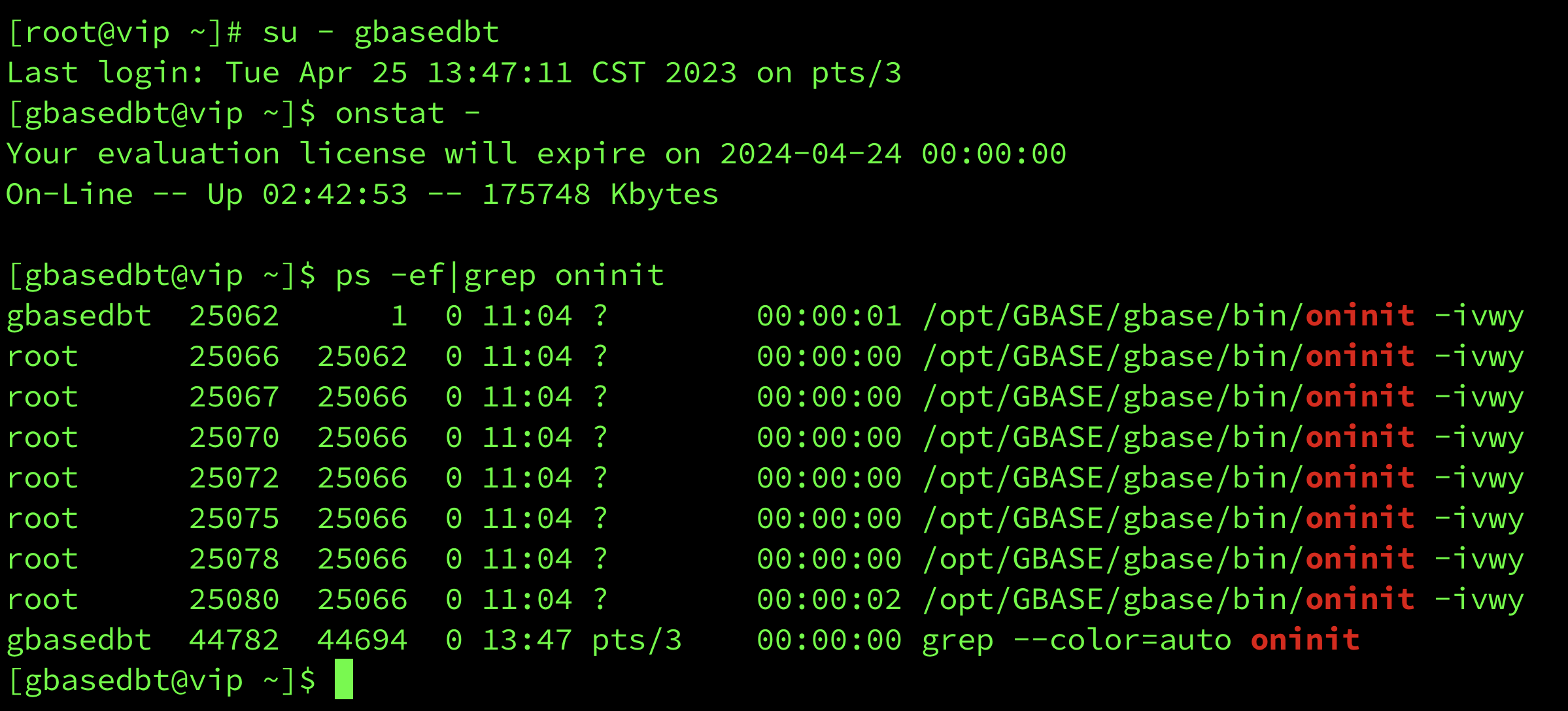
至此,GBase 8s 图形化方式定制化安装成功。
评论
登录后才可以发表评论
GBase用户21143发表于 10个月前
向您学习啦
热门帖子
- 12025-12-01浏览数:182764
- 22023-05-09浏览数:25062
- 42023-09-25浏览数:18526
- 52020-05-11浏览数:17529